Shopify SEO Done Right: The Mistakes That Quietly Kill Store Rankings
A Shopify store almost never fails loudly. There’s no error page, no penalty notice, no dramatic drop overnight. Instead the traffic just quietly refuses to show up, month after month, while the founder blames the algorithm, the niche, or the ad budget. Nine times out of ten the real culprit is boring and fixable: the store is fighting itself.
Shopify is a genuinely good platform for SEO. It’s fast by default, it handles the technical basics, and it gives you clean URLs out of the box. But it also ships with a few structural quirks that, left alone, generate the exact problems Google has spent years learning to ignore. Here’s what actually goes wrong, and how to fix it before you spend another dollar chasing traffic.
The duplicate content problem nobody set up on purpose
This is the big one, and almost every Shopify merchant has it without knowing. The platform makes a product reachable at more than one URL. A single item can live at /products/blue-wool-sweater and also at /collections/sweaters/products/blue-wool-sweater. Same product, same copy, two addresses. Multiply that across a catalog with products in several collections and you’ve manufactured hundreds of near-identical pages.
Shopify does set a canonical tag pointing back to the clean /products/ URL, which helps. But canonicals are a hint, not a command, and they get undermined constantly — by internal links pointing at the collection-path version, by sitemaps that list both, by apps that inject their own URLs. When Google sees mixed signals, it picks a winner on its own, and it isn’t always the one you’d choose.
The other duplicate-content trap is pagination and filtering. Collection pages that split into ?page=2, ?page=3, and every ?sort_by= and ?filter= permutation can spawn a sprawl of thin, overlapping URLs that dilute your crawl budget. On a small store this is invisible. On a store with a few thousand SKUs it’s the difference between Google indexing your money pages and burning its time on filter combinations.
The fix isn’t glamorous. Make sure every internal link to a product uses the canonical /products/ path, not the collection-nested version. Keep faceted-filter URLs out of your sitemap. Confirm your canonical tags actually resolve to the URL you want ranked. None of this requires a developer — it requires knowing which pages exist and where the duplicates are hiding, which is exactly the kind of thing you can’t eyeball on a real catalog.
Thin collection pages: your biggest missed opportunity
Here’s the counterintuitive part. For a lot of ecommerce searches, the page that should rank isn’t the product — it’s the collection. Someone searching “merino wool sweaters” wants a page of options, not one specific SKU. That collection page is your best shot at a competitive head term. And on most Shopify stores, it’s a grid of products with a headline and nothing else.
Google has very little to work with on a bare collection page. There’s no context, no copy explaining what the category is or who it’s for, nothing that distinguishes your “sweaters” page from ten thousand others. So it ranks the store that bothered to add 150 words of genuinely useful intro text, a short buying-guide section, maybe an FAQ about sizing or care. Not keyword-stuffed filler — actual information a shopper would want.
You don’t need to write an essay on every collection. Prioritize. The three or four categories that map to your highest-intent search terms deserve real content. The long tail of tiny sub-collections can stay lean. The mistake is treating all collection pages the same, when a handful of them are the pages most likely to earn ranking traffic and none of them are pulling their weight.
App bloat is a speed tax you’re paying every day
The Shopify app store is a wonderful, dangerous place. Every app promises to solve a problem, and each one you install drops its own JavaScript and CSS into your theme — often loaded on every page, whether that page uses the app or not. A store running fifteen apps is frequently loading scripts from a review widget on its checkout, an upsell tool on its blog, and a currency converter on pages that never show it.
The result shows up in your Core Web Vitals, the load-and-stability metrics Google folds into ranking. Largest Contentful Paint drags because the browser is parsing a pile of third-party scripts before it can render your hero image. Cumulative Layout Shift spikes when an app injects a banner that shoves your content down half a second after the page appears. These aren’t abstract scores — they track with real bounce rates and lost sales.
Audit your installed apps honestly. For each one, ask two questions: is it earning its keep, and is it loading where it shouldn’t? Uninstalling an app doesn’t always remove its leftover code, so check your theme for orphaned snippets after you remove one. And when you’re comparing themes, a lightweight modern theme like Dawn gives you a faster baseline than a heavily customized older theme carrying years of accumulated cruft.
Finding these problems before they cost you
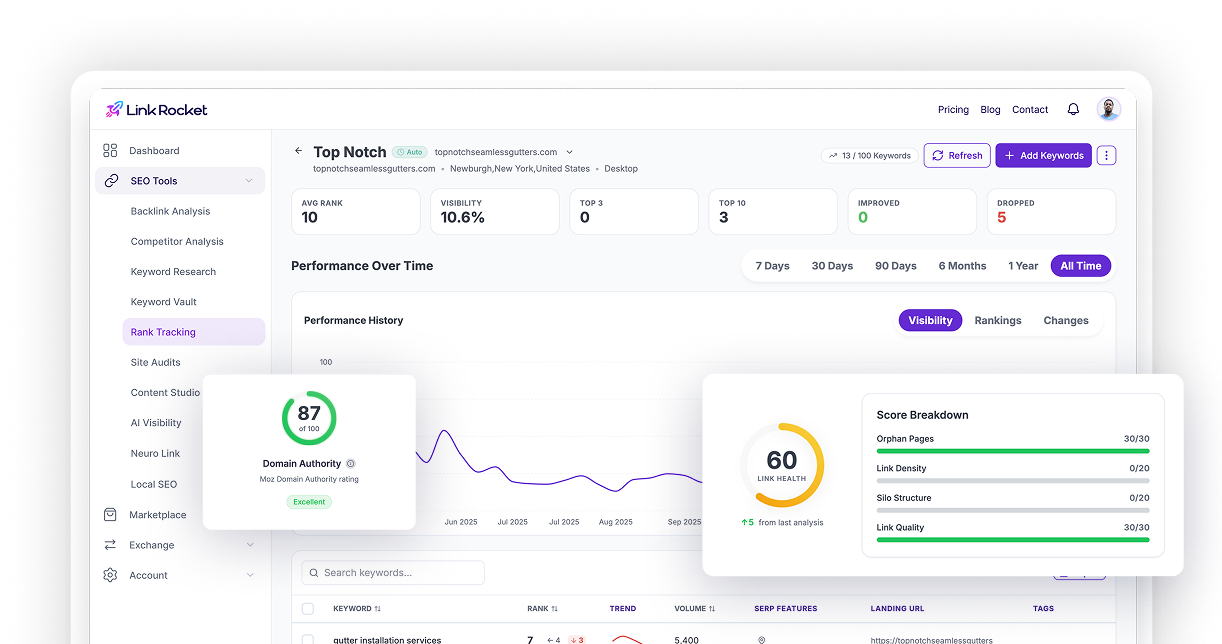
You can’t fix what you can’t see, and none of the issues above announce themselves. This is where a technical crawl earns its place in the workflow. LinkRocket’s Site Audit crawls your store the way a search engine does, following internal links and flagging the exact problems that quietly hold Shopify stores back — duplicate title tags across those collection-path product URLs, thin pages, missing canonicals, slow-loading templates, broken redirects from products you’ve discontinued.
What makes it useful for a store owner rather than a technical SEO is the triage. Issues come sorted into Critical Errors, Warnings, and Notices, so you’re not staring at a flat list of five hundred line items wondering what actually matters. The audit reports your Core Web Vitals — LCP, CLS, and interaction responsiveness — alongside Lighthouse scores, which is precisely where app bloat shows up as a number you can track. And because every crawl is saved, you can run one before you start cleaning house and another after, then compare the two side by side to prove the work moved the needle.
A couple of features matter more for ecommerce than people expect. The audit validates your structured data against schema.org, which is the difference between a plain search result and one showing price, availability, and star ratings — the rich snippets that pull clicks on product searches. It also flags indexability problems: pages accidentally blocked by robots.txt or carrying a stray noindex, which on a Shopify store is often how a whole collection silently disappears from Google. If you’ve connected Google Search Console, you can submit fixed pages straight back for reindexing so the cleanup lands faster.
Why technical fixes alone won’t get you there
Here’s the honest part most Shopify SEO guides skip. You can nail every fix above — clean canonicals, rich collection pages, a lean fast theme — and still get outranked. In competitive ecommerce niches, technical health gets you into the race; it doesn’t win it. What separates the store on page one from the technically-perfect store on page three is usually authority, and authority comes from links.
This is where a lot of merchants either do nothing or do something reckless. They ignore backlinks entirely and cap their ceiling, or they buy a batch of cheap links and import a toxicity problem that’s harder to undo than it was to create. Both are avoidable if you actually look at the data first.
LinkRocket’s Backlink Analysis gives you that view — for your own store and, just as importantly, for the competitors already ranking above you. The report opens with a health grade and the standard authority metrics (Domain Rating, Domain Authority, Trust Flow, Citation Flow, spam score), then breaks down referring domains, anchor text distribution, and a per-link Link Value Score and Risk Score so you can tell a genuinely useful link from a liability.
Run it on the two or three stores outranking you and the strategy tends to reveal itself. You’ll see which publications, roundups, and resource pages link to them, where their authority concentrates, and which of those links you could plausibly earn too. The Anchors tab tells you whether their profile looks natural or over-optimized — useful both for reverse-engineering what works and for spotting whether your own anchor text has drifted into risky territory. It’s the difference between guessing at a link-building plan and building one from what’s already working in your niche.
Where the effort actually pays off
Shopify SEO isn’t mysterious, and it isn’t about chasing whatever tactic is trending this quarter. It’s mostly about not sabotaging yourself: keeping duplicate URLs from splitting your ranking signals, giving your important collection pages something worth ranking, and refusing to let a pile of apps tax your speed. Do those three things and you’ve cleared the bar most of your competitors trip over.
Then you build from there — earning the links that turn a technically-sound store into an authoritative one, and re-crawling every so often to catch the new problems that creep in as your catalog grows. Treat it as maintenance rather than a one-time project. The stores that win at ecommerce search aren’t the ones that did a big SEO push once; they’re the ones that quietly keep their house in order while everyone else blames the algorithm.
Frequently asked questions
Does Shopify automatically handle duplicate content?
Partly. Shopify sets a canonical tag on product pages pointing to the clean /products/ URL, which helps when the same product is reachable through multiple collection paths. But canonical tags are a hint that Google can override, and they get undermined by internal links, sitemaps, and apps that reference the duplicate URLs. You still need to make sure your internal links use canonical paths and that faceted-filter URLs stay out of your sitemap.
Should product pages or collection pages be my SEO priority?
For most competitive ecommerce searches, collection pages are the bigger opportunity. A shopper searching a category term wants a page of options, not a single product. The problem is that most Shopify collection pages are just a bare product grid with no supporting content. Adding genuinely useful intro copy and a short buying guide to your few highest-intent collections often does more than optimizing individual product pages.
How many Shopify apps is too many?
There’s no fixed number, but every app that loads its scripts on every page adds to your load time and can hurt your Core Web Vitals. The test is whether each app earns its keep and whether it’s loading only where it’s actually used. Audit your installed apps, remove ones you don’t need, and check your theme for leftover code, since uninstalling an app doesn’t always remove its snippets.
How do I find these issues on my own store?
Run a technical crawl. LinkRocket’s Site Audit crawls your store like a search engine and flags duplicate titles, thin pages, missing canonicals, indexability problems, and Core Web Vitals issues, sorted into critical errors, warnings, and notices so you know what to fix first. Every crawl is saved, so you can compare before and after to confirm your fixes worked.
Do backlinks matter for a Shopify store?
Yes, especially in competitive niches. Technical health gets your store eligible to rank, but authority from quality backlinks is usually what separates the stores on page one from technically-sound stores stuck further down. Use Backlink Analysis to review your own profile and, more usefully, to study which links are helping the competitors already outranking you so you can pursue similar opportunities.
Get a clear read on your store
The fastest way to stop guessing about your Shopify SEO is to see the actual problems. Start with a crawl of your store using LinkRocket’s Site Audit to surface the duplicate URLs, thin pages, and speed issues holding you back — then check your backlink profile and your competitors’ to plan the authority-building that turns a clean store into a ranking one.