Why Google and Bing Ignore Your Pages (And How to Get Indexed)
You published the page three weeks ago. You checked it on your phone, sent the link to a friend, maybe even shared it once. And yet when you search the exact title in quotes, Google returns nothing. Not buried on page nine—genuinely nothing. The page might as well not exist.
That silence has a cause, and it is almost never the one people assume. It is rarely bad luck or a slow algorithm. It is usually a small, fixable signal telling search engines to stay away, or a page that gave them no reason to bother.

Three different problems that all look the same
“My page isn’t showing up” describes at least three separate failures, and they need different fixes. Confusing them is exactly why people waste weeks tweaking the wrong thing.
The first is crawling. A search engine has to find the URL and fetch it. If Googlebot never reaches the page—because nothing links to it, your sitemap omits it, or robots.txt blocks the path—the content is invisible before quality ever enters the conversation.
The second is indexing. Even after a bot fetches a page, it decides whether to store it. A stray noindex tag, a canonical pointing somewhere else, or content thin enough that the crawler judges it not worth keeping will all leave you fetched but unindexed. This is the stage most “invisible page” complaints actually live at.
The third is ranking. The page is indexed, it can appear in results, but it sits so far down that nobody sees it. That is a competitiveness problem, not a technical one, and it is the only one of the three where thin content, weak links, and boring writing are the real culprits.
Before you change a single thing, figure out which of the three you have. Search site:yourdomain.com/the-exact-url. If the page comes back, it is indexed and your problem is ranking. If it does not, you are stuck at crawling or indexing, and the fix is entirely different.
Why the crawler never showed up
Crawl problems are the quietest because nothing looks broken. The page loads fine in your browser. But browsers and bots take different paths, and a few common setups quietly wall the bots out.
Orphan pages are the classic case. If no other page on your site links to the new one, and it is not in your sitemap, a crawler has no trail to follow. It will find your homepage and your main navigation, crawl outward along the internal links, and simply never arrive. New pages on large sites can sit orphaned for months.
Robots.txt is the other frequent offender, and it is dangerous because a single misplaced line can hide an entire section. A rule like Disallow: /blog/ left over from a staging setup will keep Google out of every post you publish. Worth knowing: robots.txt controls crawling, not indexing. A blocked page can still appear in results as a bare URL with no description, which is its own strange failure mode. If you want a page truly gone, you need noindex, not a robots block—and the two instructions can even conflict, because a page blocked in robots.txt can prevent the crawler from ever seeing the noindex tag that would remove it.
Then there is crawl budget, which mostly matters for big sites. Google allocates a rough amount of crawling to each domain. Burn it on thousands of near-duplicate URLs, faceted-navigation permutations, or redirect chains, and your genuinely new content waits at the back of the line. This is less a bug than a housekeeping problem: the messier your URL structure, the less attention your important pages get.
Fetched, but refused
Indexing failures are more frustrating than crawl failures because the bot came, saw, and declined. Google Search Console will often tell you flatly: “Crawled — currently not indexed,” or “Discovered — currently not indexed.” Those two phrases are worth memorizing.
“Discovered — currently not indexed” usually means Google knows the URL exists but has not prioritized crawling it, often a crawl-budget or site-quality signal. “Crawled — currently not indexed” is blunter: it looked at the page and chose not to keep it. That verdict is almost always about value. The page too closely resembles something already in the index, or it is thin enough that Google sees no reason to store one more copy of the same thing.
The accidental noindex tag deserves special mention because it is embarrassingly common. Staging sites ship with a site-wide noindex to keep them out of search. When the site goes live, someone forgets to remove it, and the entire domain stays invisible for weeks while everyone blames the algorithm. Many SEO plugins also have a checkbox that quietly noindexes tag archives, author pages, or entire post types. Check the actual rendered HTML of a missing page, not just the plugin settings, because that is where the truth lives.
Canonical confusion is subtler. A canonical tag tells search engines which version of similar content is the real one. Point it at the wrong URL—or let a template hardcode every page’s canonical to the homepage, which happens more than you would think—and you are actively instructing Google to ignore the page in favor of another. The page gets crawled, reads its own canonical, and politely steps aside.
The part nobody wants to hear about thin content
Some pages are technically flawless and still refused, and the honest reason is that they do not earn their place. Google indexes a staggering amount of the web, but it is no longer trying to index everything. When a page adds nothing that a hundred existing pages do not already say, the crawler treats it as noise.
This is where indexing and ranking start to blur, and where the “Google buries pages nobody engages with” worry comes from. Google has consistently said it does not use raw click-through or dwell time as a direct ranking factor, and it is worth being skeptical of anyone who claims otherwise with certainty. But the practical outcome people observe is real: pages that nobody clicks, and that visitors bounce off of in three seconds, tend to drift downward and sometimes drop out of the index entirely on the next recrawl. Whether that is engagement data or simply the same quality signals that made the page weak in the first place, the fix is identical. Make the page genuinely worth the click.
Thin content is not just short content. A 300-word answer that fully resolves a narrow question can index and rank fine. The problem is content that is padded, duplicated across a dozen near-identical pages, or auto-generated to hit a keyword without saying anything a reader would remember. If you would not send the page to a friend who asked the question, do not expect Google to keep it.
Working the problem with an audit
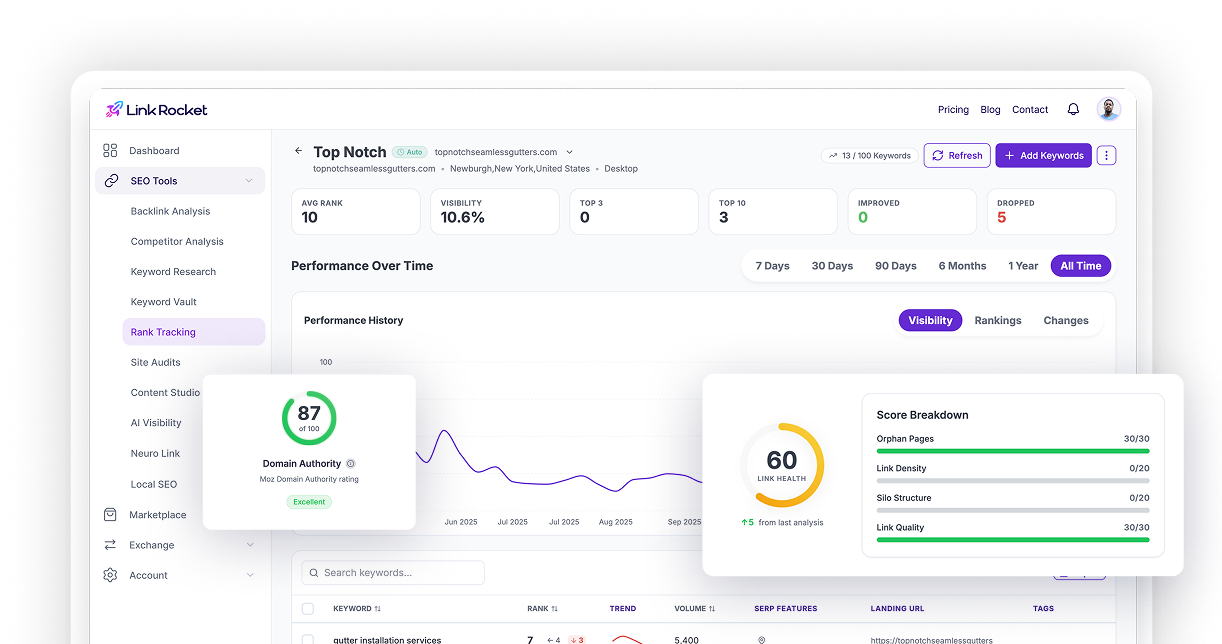
Chasing indexing issues by hand means bouncing between Search Console, view-source, robots.txt, and a spreadsheet of URLs. It works, but it is slow, and it is easy to miss the one page in two thousand that has the stray canonical. This is the specific job a crawler-based audit does well, and it is why Site Audit exists in LinkRocket.
Point it at your domain and it crawls the site the way a search engine would, following internal links to whatever depth you set, and then flags the indexability problems by category. Its indexability checks surface exactly the failures above: pages blocked by robots.txt, pages carrying a noindex directive, canonical mismatches, and the HTTP errors—404s, 5xx responses, redirect chains—that quietly bleed crawl budget. Instead of guessing which of your pages are refused, you get a list.
A couple of pieces matter specifically for the “why won’t this index” question. The audit produces a Health Score broken down by category, so you can see whether your problem is concentrated in indexability, performance, or content quality rather than treating everything as one undifferentiated mess. And once you have fixed a page, you can submit it directly for reindexing through the tool’s Google Search Console integration instead of waiting for the next organic recrawl—which shortens the loop between fixing something and seeing whether the fix worked.
One honest caveat: an audit finds and confirms indexability blockers, but it does not judge whether your writing is worth reading. It can tell you a page is thin by the numbers; it cannot tell you the page is boring. That part is still on you. For a broader walkthrough of running one end to end, our step-by-step SEO audit checklist covers the full process, and if AI crawlers are part of your concern, how robots.txt and llms.txt guide bots is worth a read.
From invisible to indexed, in order
The reason indexing feels mysterious is that people attack it out of order—rewriting content when the real problem is a robots.txt line, or submitting sitemaps when the page carries a noindex tag no sitemap can override. Diagnose the stage first. Confirm the page can be crawled, confirm nothing is telling Google to skip it, and only then ask whether the content deserves to rank.
Do that and most “Google is ignoring me” cases resolve into something specific and boring, which is the best kind of SEO problem to have. A stray tag, an orphaned URL, a canonical pointing the wrong way. Fix the signal, ask for a recrawl, and the page that felt cursed usually shows up within days.
Frequently asked questions
How long should it take Google to index a new page?
For an established site with internal links pointing to the new page and a submitted sitemap, indexing often happens within a few days. Brand-new sites with little authority can wait weeks. If a page still is not indexed after two to three weeks, that usually signals a real blocker rather than normal delay, and it is worth investigating.
Why does Search Console say “Crawled — currently not indexed”?
It means Google fetched the page but decided not to store it, and that verdict is almost always about value. The page likely duplicates content already in the index or is too thin to justify keeping. Improving the depth and uniqueness of the page, then requesting reindexing, is the fix. It is rarely a technical error at that point.
Does blocking a page in robots.txt remove it from Google?
No, and this trips people up constantly. Robots.txt controls crawling, not indexing. A blocked page can still appear in results as a bare URL. To remove a page from the index, use a noindex directive and make sure the page is not also blocked in robots.txt, because a blocked page prevents Google from ever seeing the noindex tag.
Can poor engagement get my page removed from the index?
Google says it does not use clicks or dwell time as a direct ranking signal, so treat strong claims either way with caution. In practice, pages that nobody clicks and that visitors abandon quickly tend to drift down and can drop out of the index on recrawl. Whether that is engagement data or the same weak-quality signals that made the page thin, the fix is the same: make it genuinely worth reading.
Can LinkRocket tell me which of my pages are not indexable?
Yes. Site Audit crawls your site and runs indexability checks that flag pages blocked by robots.txt, pages with noindex directives, canonical mismatches, and HTTP errors like 404s and redirect chains. It also lets you submit fixed pages for reindexing through the Google Search Console integration, so you are not waiting on the next organic recrawl.
Find the pages Google is skipping
Stop guessing which pages are stuck at crawling, indexing, or ranking. Run LinkRocket’s Site Audit to crawl your whole site, surface every indexability blocker by category, and submit your fixes straight to Google for reindexing.