Backlink Analysis: The Complete Guide to Auditing Your Link Profile (2026)
Here’s a scene that plays out constantly. A site owner opens a backlink tool, sees “14,000 backlinks,” and feels like they’re winning. Then they can’t work out why they’re still buried on page three. Both things are true at once: the number is real, and it’s telling them almost nothing. Those 14,000 links trace back to maybe 40 domains, and half of those are scraper sites republishing their content.
Backlink analysis is what turns that useless big number into something you can act on — the difference between “we have a lot of links” and “we have 60 good links, a dozen dragging us down, and a clear list of 30 more worth chasing.” This guide is about getting to that second sentence, for your own site and for the competitors beating you.
What backlink analysis actually tells you
Strip away the jargon and you’re answering one question: is my link profile helping me, hurting me, or just sitting there? A proper analysis breaks that into three verdicts — the links worth protecting and replicating, the handful worth disowning, and the gap between what you’ve got and what your competitors have.
That last piece is why analysis isn’t only defensive spring-cleaning. Done well, it doubles as the most reliable link-building brief you’ll ever get, because it’s assembled entirely from links that already exist in the wild.
Which numbers matter, and which ones lie to you
Every tool floods you with metrics. Two of them do most of the real work.
The first is referring domains — the count of unique websites linking to you, as opposed to total backlinks, which tallies every individual link. This is the single most common thing beginners get backwards. Fifty links from fifty different reputable sites will move you; ten thousand from one domain won’t. Whenever you’re comparing two profiles, lead with referring domains and treat the raw backlink figure as decoration.
The second is some flavor of authority score — Domain Rating in Ahrefs, Domain Authority in Moz, and so on. None of these come from Google; each is that tool’s own 0–100 guess at how strong a domain is. They’re genuinely useful for quick comparison, with one hard rule: never hold a score from one tool up against a score from another. A 60 in one isn’t a 60 in the next, and mixing them is how reports end up quietly wrong.
After that you’re into the supporting cast. Anchor text — the clickable words in a link — should skew mostly branded and generic, with only a light sprinkle of exact-match keywords. If 40% of your links all say the precise phrase you’re chasing, that’s a footprint Google notices, and it’s usually the first thing worth fixing. (There’s a whole rabbit hole here; we dug into it in our guide to anchor text optimization.) The dofollow/nofollow split matters mostly as a sanity check — an all-dofollow profile actually looks fake. And link velocity, the pace at which links arrive or vanish, is the one people forget: a sudden spike screams “bought these,” while a sudden drop often explains a ranking dip nobody could otherwise account for.
Notice what’s absent from that list — total backlink count. It’s the number tools print in the biggest font and the one you should trust the least.
Auditing your own profile
Here’s the routine worth running once a month. It takes about an hour in any capable tool.
- Export every referring domain with its authority score, anchor text, and first-seen date. That’s your raw material.
- Sort by authority and read both ends. The top is what you want to protect and replicate; the bottom is what you’ll be scrutinizing next.
- Flag the genuinely toxic ones — irrelevant foreign-language sites, obvious link farms, pages drowning in unrelated outbound links. Note them; don’t reflexively disavow (more on that below).
- Eyeball your anchor mix. If exact-match keywords dominate, ease off keyword-rich building and diversify.
- Lay your link gains and losses over your ranking history. The correlations are often the whole story.
- Pull one competitor who outranks you and note every referring domain they have that you don’t. That list is your to-do list.
Then save it, and do it again next month. The value compounds because the second run shows you what actually changed — a single snapshot can’t.
What separates a report from a number
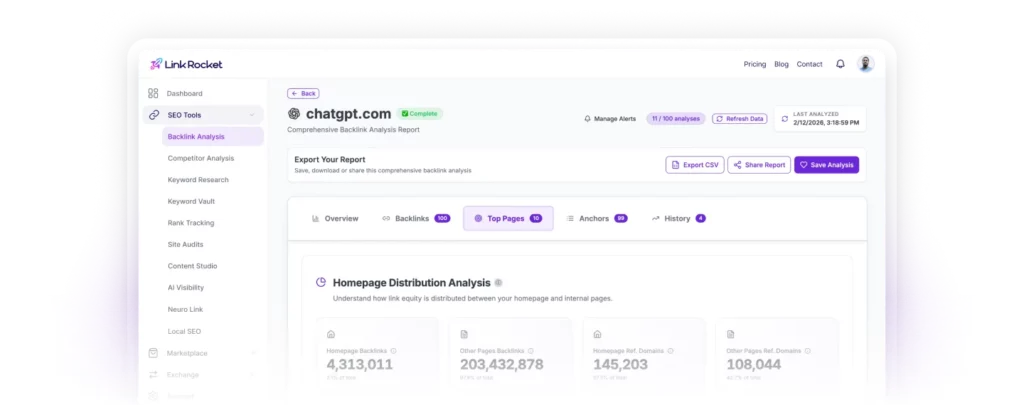
If your tool hands you a headline figure and calls it a day, that’s a statistic, not a report. A report earns the name when it shows the trend over time, the authority spread of your links, your anchor mix, what’s new and lost since last month, and a flagged list of anything toxic. One test settles it: can you make a decision from what’s in front of you? A lone number fails every time.
LinkRocket leans on exactly this: its AI SEO Analyst, a chat assistant sitting right on the report, reads your specific profile and answers plain questions about it — which links to fix first, how your spam score stacks up — so the numbers become a conversation instead of a spreadsheet.
Choosing a tool without overpaying
The right tool is the one with data fresh enough and an index big enough to actually find your links, at a price you’ll still be happy paying in six months. Here’s the honest lay of the land:
| Tool | Best for | The catch |
|---|---|---|
| LinkRocket | Analysis plus the tools to act on it, without enterprise pricing | Index isn’t as deep as Ahrefs’ |
| Ahrefs | The deepest, freshest link data available | Priced well out of reach for most solo operators |
| SEMrush | An all-in-one platform you already pay for | Overkill and pricey as a backlink-only buy |
| Moz Pro | Approachable analysis; Link Intersect is excellent | Smaller index, so it misses some links |
| Majestic | Link-quality analysis via Trust Flow / Citation Flow | Dated interface; more specialized |
If money is genuinely no object and you live in backlink data all day, Ahrefs is still the one to beat — that’s not controversial. But that “if” excludes most of the people reading this. The uncomfortable truth about the big three is that they’re built and priced for agencies, and a freelancer checking their profile twice a month ends up paying for ninety features they’ll never open.
That gap is the reason LinkRocket exists. You get the analysis — referring domains, authority scoring, anchor breakdown, toxic-link flags — sitting right next to the things you’d otherwise buy separately: the Backlink Exchange, the Publisher Marketplace, competitor analysis, and rank tracking. Nobody’s claiming to out-index Ahrefs. The claim is narrower and, honestly, more useful: measuring your links and doing something about them shouldn’t take two subscriptions and an enterprise invoice.
Do free backlink checkers actually work?
For a quick look, yes. A free checker will hand you a referring-domain count, a top-links list, and a rough authority score — plenty to satisfy curiosity or size up a single rival. They fall down in three predictable spots: they cap how many links they’ll reveal, they refresh slowly, and they skip the historical trend and toxic-link flagging that make data actionable. Use one to get your bearings; step up the moment you’re making real decisions off the numbers. (Here’s the quick how-to for checking backlinks free.)
Five ways people get this wrong
Most bad backlink analysis comes down to the same handful of habits:
- Worshipping the total count. Big number, small meaning. Referring domains and quality are what move rankings.
- Comparing scores across tools. A DR and a DA aren’t the same currency. Pick one tool and stay in it.
- Disavowing everything that looks ugly. Google ignores most junk links on its own now. The disavow file is for clear, systematic spam or an actual penalty — over-using it can strip out links that were quietly helping.
- Judging by authority alone. A relevant link from a smaller site in your niche often beats a big link from an unrelated one. Context counts.
- Running it once. Profiles shift every month. Analysis is a habit, not an event.
The short version
Backlink analysis gets simple once you tune out the noise. Count referring domains, not links. Judge quality and relevance, not size. Watch how the profile shifts month to month, and treat the gap between you and your competitors as a to-do list rather than a scoreboard.
Do that consistently and it compounds. You stop guessing which links matter, you catch problems before they dent your rankings, and every audit hands you the next batch of links worth chasing.
Frequently asked questions
What is a backlink analysis?
It’s the process of reviewing every external link pointing to a site to judge its quality, relevance, and risk. It tells you which links help your rankings, which do nothing, and which might be hurting you — and it reveals where competitors are earning links you could pursue too.
How do I check the backlinks of a website?
Drop the domain into a backlink checker such as LinkRocket, Ahrefs, SEMrush, Moz, or Majestic. You’ll get referring domains, total backlinks, authority scores, and anchor text. To go past a snapshot, export the full list and review the authority spread, anchor mix, and how the profile has moved over time.
What’s the difference between referring domains and total backlinks?
Total backlinks counts every individual link; referring domains counts the unique websites those links come from. Referring domains is the more meaningful figure — fifty links from fifty reputable sites are worth far more than ten thousand from a single domain.
Is there a free backlink checker?
Yes. Most major tools, LinkRocket included, offer a free tier or free check showing referring domains, a top-links list, and a rough authority score. Free checkers usually cap how many links you can see and refresh slowly, so they’re best for a quick look before you move to a paid tool for ongoing analysis.
How often should I analyze my backlink profile?
Monthly suits most sites. Regular checks let you catch toxic links early, confirm your link building is landing, and line up ranking changes against gains or losses in your profile. Active campaigns may warrant a closer watch.
Which backlink analysis tool is best?
Ahrefs has the deepest data, SEMrush is the pick if you want one platform for everything, Moz and Majestic each bring distinctive strengths, and LinkRocket is built for people who want capable analysis plus the tools to act on it without enterprise pricing. It comes down to budget — and whether you also need to build links, not just measure them.
Take the next step
Analysis only matters if you act on it. Once you know which links you’re missing and which competitors you’re chasing, you need a way to actually earn them. Run a free backlink analysis, then use the Backlink Exchange and Publisher Marketplace to close the gaps you find. And when you’re ready to study the competition properly, here’s how to run a competitor backlink analysis.