How to Do a Website SEO Audit (Step-by-Step Checklist)
Say your traffic slips 20% over a month. Nothing obvious changed — no redesign, no penalty email, no viral post that faded. Just… down. Where do you even start?
You start with an audit. A website SEO audit is the systematic way to find what’s quietly costing you rankings: the broken redirect, the pages Google stopped indexing, the title tag pulling a 2% click-through, the Core Web Vitals score dragging every page down half a position. None of it announces itself. An audit is how you drag it into the light.
The reassuring part is that it’s not a dark art. It’s a checklist, run in the right order — and the payoff is usually a short list of fixes that move the needle harder than another month of publishing. Here’s how to run one, and how to do it without drowning in five separate tools.
The three layers that decide your rankings
Every audit covers three layers, and they stack. Technical: can search engines crawl, index, and load your pages at all? On-page: is each page actually optimized for what it’s trying to rank for? Off-page: what does the rest of the web say about you, through your backlinks?
The order matters, because a weakness in one caps the others. The best content in your niche ranks nowhere if it sits on a page Google can’t index. A technically spotless site with a thin backlink profile stalls on page three no matter how clean the code. So you check all three — and the audit’s real job is to tell you which layer is the bottleneck, so you stop pouring effort into the two that were already fine.
Layer 1: Can Google even reach your pages?
Start at the foundation, because nothing above it counts if this is broken. You’re checking a handful of things:
- Indexing — are your money pages actually in Google’s index? Search Console’s coverage report shows anything wrongly excluded.
- Crawlability — a stray line in robots.txt or a stale sitemap can hide whole sections of your site.
- Broken links and redirect chains — they burn crawl budget and leak the authority your links should pass.
- Core Web Vitals — loading, responsiveness, layout stability. Google measures them, and a slow page loses readers before the first sentence.
- Mobile and HTTPS — table stakes. If either is off, fix it before anything else.
Under those headers sit the actual numbers worth knowing. Core Web Vitals break into three: LCP (how fast the main content loads), CLS (how much the layout jumps around while it does), and INP (how quickly the page reacts when someone taps or clicks). A proper crawl pairs those with Lighthouse scores — performance, accessibility, best practices, and SEO — and validates your structured data against schema.org while it is in there, so a broken JSON-LD block doesn’t quietly cost you a rich result.
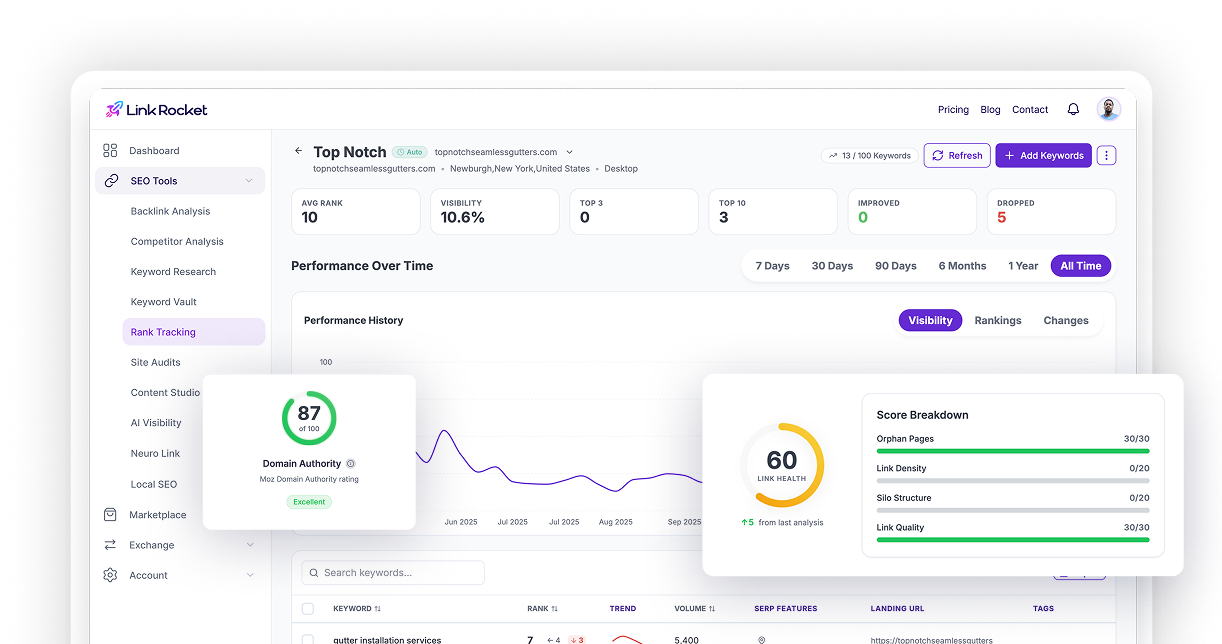
Doing this by hand means bouncing between Search Console, a crawler, and a page-speed tool, then reconciling three exports. That tedium is exactly what LinkRocket’s Site Audit exists to kill: it crawls the whole site in one pass and hands you every technical fault in a single prioritized list, so your time goes to fixing instead of hunting.
Layer 2: Is each page pulling its weight?
With the plumbing sound, look at the pages. Does each important one target a clear keyword? Does the title tag earn a click, or just describe? Is the heading structure logical, and are there internal links pointing to it and out from it? Then go hunting for the quiet drag on most sites — thin pages that say nothing, two pages unintentionally fighting over the same term, orphan pages that not even your own navigation reaches. On-page problems rarely tank you overnight. They just quietly cap how high any single page can climb, which is exactly why they get ignored for years.
Layer 3: What does the web say about you?
The last layer isn’t on your site at all. It’s your backlinks — who vouches for you, how trusted and relevant they are, and whether anything toxic is dragging you down. If your technical and on-page work is genuinely solid and you’re still stuck, this is almost always the reason. Our backlink analysis guide covers how to read a profile properly, and because LinkRocket keeps backlink analysis in the same place as the Site Audit, you can go from “my content’s fine” to “here’s exactly who I need links from” without ever switching tools.
The check almost no audit runs yet: can AI read you?
Here is a layer that barely existed a couple of years ago and that most audits still skip. The same way Googlebot has to reach your pages, the AI crawlers now do too — GPTBot (ChatGPT), ClaudeBot, Google-Extended, and the rest. If your robots.txt blocks them, or you have never set up an llms.txt file, you may be invisible to the assistants a growing share of people ask instead of Google.
So check it on purpose: are the AI bots allowed in your robots.txt, and do you have an llms.txt pointing them at what matters? LinkRocket’s Site Audit surfaces this in an LLM Visibility card — which AI crawlers can reach you and whether your llms.txt is present and formatted correctly — so AI discoverability stops being a blind spot. If AI search is on your radar at all, pair the audit with a dedicated AI visibility check.
The step everyone skips: acting on it
Here’s where most audits quietly die. You run the scan, get 140 findings, feel the overwhelm, and close the tab.
Don’t. The findings are not equal, and treating them as a flat to-do list is the whole mistake. A page Google can’t index is an emergency you fix today. A meta description three characters too long can wait a quarter. Sort everything by impact against effort, then work top-down — indexing and crawl faults first, broken key pages next, on-page and content fixes after that, cosmetics last or never. Ten high-impact fixes beat a hundred trivial ones, every single time.
One more move once the fixes are live: don’t wait for Google to notice. If your tool connects to Search Console, push the changed pages straight back for re-indexing so the fix counts sooner instead of whenever the next crawl happens to land. Then save the audit — re-running it later and comparing the two crawls is how you prove a fix moved the issue count, rather than hoping it did.
Doing it without five subscriptions
You can absolutely audit for free. Google Search Console covers indexing and Core Web Vitals, and a manual crawl fills in the rest — a fine way to start, and honestly more than most sites ever bother to do.
The friction shows up over time. Your technical data lives in one tool, your backlinks in another, your rankings in a third, and none of them talk to each other — so every audit becomes an afternoon of exporting and cross-referencing. LinkRocket’s whole pitch is that the Site Audit, backlink analysis, rank tracking, and AI-visibility tracking sit in one dashboard, on one bill. You audit the site, see which backlinks to chase, and watch the rankings respond — without stitching four subscriptions together. For a solo operator or a small team, that consolidation is the point. (Ahrefs, Semrush, and Screaming Frog are all strong if you’d rather assemble your own stack.)
How often to run one
A full audit once a quarter keeps most sites healthy, with a quick monthly glance at indexing and Core Web Vitals in between. The non-negotiable moments: right after a migration, a redesign, or any unexplained traffic drop. That’s precisely when new problems sneak in — and when catching them early saves you months of wondering.
The short version
A website audit is a three-layer health check — technical, on-page, backlinks — and a weakness in any one caps the other two. Run all three, then fix by impact, not by list order: indexing and crawl faults first, cosmetics last.
Do it quarterly and the small stuff never compounds into a drop you can’t explain. It’s the least glamorous habit in SEO and one of the highest-return — especially when the audit and the tools to act on what it finds live in the same place.
Frequently asked questions
What is a website SEO audit?
A systematic review of the technical, on-page, and off-page factors that affect how your site ranks. It surfaces the issues — indexing errors, slow pages, weak on-page optimization, toxic backlinks — that quietly hold your rankings back.
How do I do an SEO audit of my website?
Work through three layers in order: technical health (indexing, crawlability, speed), on-page (titles, content, internal links), and off-page (your backlink profile). Use Search Console plus an audit tool like LinkRocket to gather the data in one place, then fix findings by impact.
How long does an SEO audit take?
A tool-driven scan takes minutes; a thorough manual review of a small-to-mid-size site takes a few hours. Acting on the findings is the longer part — plan for ongoing work, not a one-day fix.
Can I audit my website for free?
Yes. Google Search Console is free and covers indexing and Core Web Vitals, and many tools — LinkRocket included — offer a free audit that flags the main issues. Free scans usually cap depth, so step up to a paid tool for a full crawl.
How often should I audit my website?
A full audit each quarter suits most sites, with a quick monthly check on indexing and speed. Always run one after a migration, redesign, or unexplained traffic drop.
Can AI crawlers like GPTBot read my site?
Only if you let them. AI assistants use their own crawlers — GPTBot, ClaudeBot, Google-Extended — and if your robots.txt blocks them, you won’t appear in their answers. A good audit checks AI-bot access and whether you have an llms.txt file, the same way it checks Googlebot crawlability.
Find what’s holding you back
Your rankings are being decided right now by things you can’t see from the front end. Run a free Site Audit with LinkRocket to surface every technical and on-page issue in one scan, then use the built-in backlink analysis to close the third layer.