How Publish Dates Affect Rankings and Clicks
A blog owner I follow re-added visible publish dates to a batch of evergreen posts that had not been touched in six years. The dates were accurate. The pages still ranked. Within days, traffic fell off a shelf, and nothing on the pages had actually changed. Searchers simply saw an old year under each headline and scrolled past.
Dates are one of the strangest levers in SEO. They do not really live inside your content. They sit in the margins, in the search snippet, in your schema, in the little timestamp under your byline, and yet they move clicks and rankings in ways that catch experienced publishers off guard. Here is what the experiments actually show, and how to handle dates without shooting yourself in the foot.

Two problems wearing the same coat
Almost every argument about dates and SEO conflates two things that deserve to be pulled apart. The first is a clicks problem: when Google prints a date in your snippet, an old-looking one quietly suppresses the click before anyone reads a word. The second is a rankings problem, which is whether the date itself, treated as a signal, actually changes where you sit in the results. They interact, but they are not the same thing, and the fixes are different.
The clicks problem is the one people underestimate. In one documented test, simply making publish dates visible in the SERP produced a roughly 13% drop in traffic, even though about 72% of the keywords held their positions. The rankings barely moved. The clicks did. A four-year-old date on a genuinely current guide reads as neglect to a scanning searcher, and nothing below the fold ever gets the chance to argue otherwise.
What happens when you just change the date
So the tempting shortcut is obvious: if old dates repel clicks, slap a new date on everything and let the freshness fairy do her work. This is where the second problem bites, and there is a good experiment on it. In a controlled freshness test, one group had publication dates updated with no other changes, and the group’s average position actually slipped by about 2% afterward.
The mechanics behind that number are worth understanding, because the headline is misleading in both directions. The date-updated group picked up 82 new queries it had not ranked for before, which sounds like a win, except brand-new rankings enter near the bottom of page two or three. A pile of low positions dragged the group’s average down even as its footprint grew. Meanwhile the queries it already ranked for improved by nearly 13%. So the raw average punished the very expansion that should count as progress. Read carelessly, the same data set says both that dates helped and that dates hurt.
The honest reading is quieter than either. Changing a timestamp with nothing behind it is close to a no-op, and any movement you see is mostly noise from re-crawling and re-scoring. Google’s John Mueller has said as much for years: the crawler compares the new version against what it stored last time, and if the substance did not move, the ranking has no reason to. A date is a claim about freshness. Google verifies claims.
When freshness is actually a ranking factor
Freshness gets talked about as if it were a universal dial you can turn up. It is not. Google decides how much recency matters on a per-query basis, an idea usually filed under Query Deserves Freshness. Some searches are starving for the newest possible answer. Most are indifferent to it.
It helps to picture three buckets. There are recent events, where the query is tied to something unfolding now and the freshest credible page wins almost by default. There are recurring events, the annual and seasonal searches where the current year’s edition should surface. And there are topics under frequent revision, where facts drift and last year’s page may be quietly wrong. Outside those, freshness barely registers. The instructions for tying a shoelace do not deserve a fresher answer than they did in 2015, and Google knows it. Before you spend a quarter re-dating an archive, ask honestly which bucket each page falls into. Most evergreen how-to content falls into none of them.
The cosmetic move versus the real one
The cleanest way to think about all of this is to separate what a date change costs from what it earns. One version is theater. The other is the thing that actually moves rankings, and it happens to produce a legitimate new date as a side effect.
| Cosmetic date bump | Genuine content refresh |
|---|---|
| Timestamp changes; body untouched | Facts, examples, and structure updated to current reality |
| Google compares crawls, sees nothing, holds position | Google detects real change and can re-evaluate relevance |
| Risks looking manipulative if repeated across a site | Earns the “updated” label honestly |
| No new reason for anyone to link or cite | Creates a reason to re-share and re-link |
| dateModified lies about what happened | dateModified reflects a real edit |
This is why “should I hide my dates from Google?” is usually the wrong question. Stripping dates can nudge clicks up in the short term, but it also throws away a signal you might want later and does nothing for the underlying page. The durable answer is to keep dates honest and make them true by actually improving the work.
Handling dates the way that holds up
A few practices survive contact with the experiments. Show a “last updated” date when, and only when, you genuinely updated the page; readers trust it and it reflects reality. Keep your structured data straight, with datePublished holding the original date and dateModified moving only when you make a substantive edit. Do not run a script that bumps dateModified site-wide every night, because that is exactly the pattern Google has learned to discount. And resist the urge to delete dates entirely as a growth hack; you lose a genuine trust signal to dodge a problem you should be fixing at the source.
The source fix is unglamorous. Rewrite the sections that have gone stale, replace screenshots that show an old interface, prune advice that stopped being true, and add the thing a reader in 2026 would now expect to find. When you do that, the new date is earned, the snippet stops lying, and the freshness signal points at something real instead of a cron job.
Where a crawl-level view helps
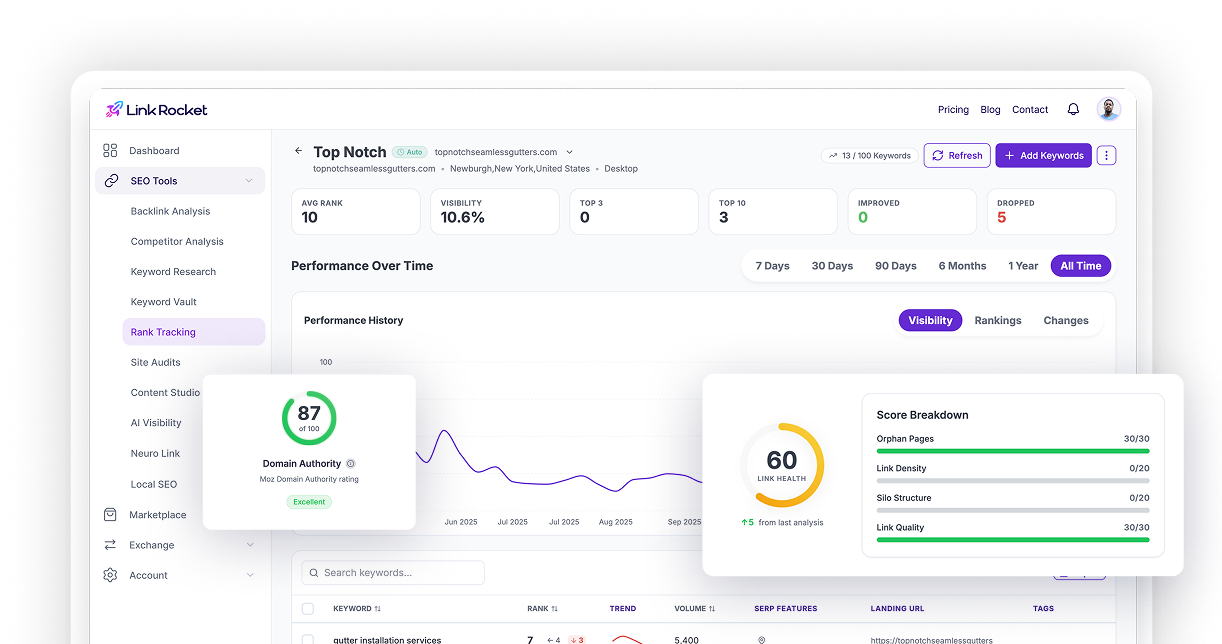
The hard part at any real scale is knowing which pages carry stale dates, mismatched schema, or thin bodies that a timestamp change will never rescue. That is a job for a systematic crawl rather than memory. LinkRocket’s Site Audit validates the JSON-LD on your pages against schema.org, so a broken or contradictory dateModified shows up as a flagged issue rather than a silent one, and it surfaces thin-content warnings that tell you where a refresh is actually needed instead of a cosmetic bump.
Two other pieces of the audit matter here. Its crawl-history comparison lets you re-crawl after a round of updates and see, side by side, whether your issue count and structured data actually improved, which is the closest thing to a controlled before-and-after you will get on your own site. And once a page has been genuinely reworked, you can submit it for reindexing through the Google Search Console integration so the new version gets recrawled sooner rather than waiting for Google to wander back. If you want the broader workflow, our SEO audit guide walks through reading a crawl end to end, and the piece on Google ranking factors puts freshness in context with everything else that moves positions.
Dates follow substance, not the other way around
Strip away the experiments and the takeaway is almost boring. A date is a summary of what you did to a page, and Google, along with your readers, keeps getting better at spotting the gap between a summary and the truth. Change the number and nothing behind it, and you get a shrug at best and a click penalty at worst. Change the work, and the date takes care of itself.
So treat dates as an output, never an input. Audit your library for the pages that are genuinely aging, do the real editing on the ones that deserve it, let the timestamp update as an honest consequence, and leave the rest alone. That is slower than a find-and-replace across your archive, and it is the only version that keeps paying you back.
Frequently asked questions
Do publish dates actually affect Google rankings?
Indirectly more than directly. Changing a date with no other edits rarely moves rankings, because Google compares the new crawl against the old one and sees no real change. But a visible old date in the search snippet can quietly cut your clicks, and freshness itself is a ranking factor for a minority of time-sensitive queries. The date matters most when it reflects a genuine update.
Should I hide publish dates from Google?
Usually no. Hiding or removing dates can nudge clicks up in the short term, but it throws away a trust signal and does nothing for the page underneath. The more durable fix is to keep dates honest and make them true by actually refreshing the content, so the snippet stops looking neglected because the page really was updated.
Does changing the date on old content improve rankings?
On its own, no. In a controlled test, a group that only updated publication dates saw its average position slip by about 2%, driven by newly ranked queries entering at low positions. Google verifies freshness by comparing versions, so a timestamp change with no substance behind it is close to a no-op.
What is the difference between datePublished and dateModified?
datePublished is the original publication date and should not change. dateModified should update only when you make a substantive edit to the page. Keeping the two accurate lets Google detect real updates without you faking freshness. Running a script that bumps dateModified site-wide every night is the exact pattern search engines have learned to discount.
How often should I update old blog posts?
Update on need, not on a calendar. Refresh a page when its facts have drifted, its examples or screenshots are outdated, or a reader would now expect information it lacks. Evergreen how-to content may go years without needing an edit, while pages tied to recurring or fast-moving topics need attention more often. A site crawl helps you find which pages are genuinely stale.
See which pages are actually stale
Guessing which posts need a real refresh is how archives rot. Run LinkRocket’s Site Audit to crawl your site, validate your date schema, and flag the thin or aging pages a timestamp change will never fix, then re-crawl to confirm your updates actually landed.